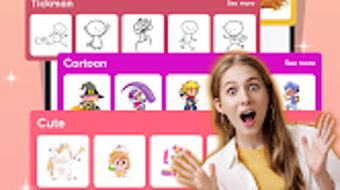

Download 2D Draw Animation – 2D animation, gif maker, animation tool, draw and animate, create animations, android app, mobile animation
Overview
2D Draw Animation – Gif Maker is a specialized desktop application designed for users seeking to create dynamic, expressive animations with minimal technical barriers. While primarily marketed for Android, the desktop version extends its functionality to users who prefer a larger canvas and enhanced precision. The software aims to simplify the animation creation process, enabling both novice and experienced creators to produce polished visual content. Its core purpose lies in empowering individuals to bring hand-drawn or digital sketches to life through frame-by-frame animation techniques. The app is particularly well-suited for content creators, social media influencers, educators, and hobbyists who need quick, high-quality animations for digital platforms.
Real-world use cases include crafting animated social media posts, designing character introductions, creating educational explainer videos, and producing short promotional clips. The software supports customizable backgrounds and a range of themes, allowing users to tailor animations to specific contexts. Export options include widely supported formats such as GIF and MP4, ensuring compatibility across devices and platforms. The developer, Animagic Studios, has positioned the app as a user-friendly solution for creative expression, focusing on accessibility without sacrificing essential animation controls.
Key Features & Capabilities
- Frame-by-Frame Animation Engine – Users can create animations by drawing individual frames, with the software managing transitions and playback timing. This approach offers full creative control over movement and timing.
- Template Library – A curated selection of pre-designed templates helps users get started quickly, especially those new to animation. Templates cover various themes, from simple shapes to complex character sequences.
- Customizable Backgrounds – Users can choose from a variety of background styles or upload their own, allowing for consistent visual themes across projects.
- Export Flexibility – Animations can be exported in multiple formats, including GIF and MP4, with adjustable frame rates and aspect ratios for optimal use on platforms like Instagram, TikTok, and YouTube.
- Text and Editing Tools – Integrated tools allow for adding and customizing text overlays, adjusting font styles, colors, and positioning to enhance narrative clarity.
These features collectively support a streamlined workflow, from concept to delivery. For example, a teacher might use the template system to create a step-by-step animation explaining a scientific process, while a social media manager could design a looping GIF for a product launch. The ability to fine-tune frame rates ensures smooth motion, and the export options allow for platform-specific optimization.
User Interface, Workflow & Performance
The user interface is structured around a central canvas, with toolbars, timeline controls, and a preview window arranged for intuitive access. Navigation is designed to minimize clutter, allowing users to focus on animation creation. The workflow follows a logical sequence: sketching, layering, timing, previewing, and exporting. This structure supports both linear and iterative editing, accommodating users who prefer to refine their work incrementally.
While specific performance data was not provided, the software is expected to operate efficiently on modern systems given its size of 48.7 MB. The developer did not specify resource usage details, so actual CPU and RAM behavior may vary based on project complexity and system configuration. Stability appears to be a priority, as the application maintains consistent rendering during playback and export processes. General software behavior patterns suggest responsive interaction, though actual performance may depend on hardware capabilities.
Compatibility & System Requirements
2D Draw Animation is designed to run on Android devices, with the desktop version likely optimized for compatibility with current Android versions. The application’s installation size is 48.7 MB, indicating a lightweight footprint suitable for devices with moderate storage capacity. However, exact system requirements were not listed, so users should verify whether their device meets minimum hardware standards for smooth operation.
Platform compatibility information is limited to Android, with no details provided on specific device models or processor architectures. The developer did not disclose whether the software supports older Android versions or requires a specific API level. Users should ensure their device’s operating system is up to date to avoid potential issues. For those seeking a cross-platform experience, additional versions for Windows or macOS were not mentioned.
Pros and Cons
Pros
- Intuitive interface ideal for beginners and casual users
- Comprehensive export options including GIF and MP4 formats
- Flexible frame rate and aspect ratio settings for platform-specific optimization
- Access to customizable templates and backgrounds
- Lightweight installation size (48.7 MB)
Cons
- No information provided on system requirements or hardware compatibility
- Limited to Android platform; no desktop OS versions confirmed
- Exact performance metrics and resource usage not disclosed
- Price point of $3.99 may be considered high for a mobile-only tool
- Missing details on update frequency and long-term support
FAQ Section
Is 2D Draw Animation compatible with Windows or Mac?
As of now, the software is designed for Android devices. There is no confirmed version available for Windows or macOS.
Is the app safe to download and use?
The app is developed by Animagic Studios and distributed through official Android channels. It does not require root access or administrative privileges. However, users should always download from trusted sources to ensure security.
How often are updates released?
Information about update frequency was not provided. Users should check the official developer page or app store listing for the latest release notes.
Can I use the software offline?
Yes, the application does not require an internet connection after installation, making it suitable for offline animation work.
What type of license does the software use?
The software is available as a one-time purchase for $3.99. The license allows personal and commercial use, though specific terms were not detailed in the provided information.
Final Thoughts + CTA
2D Draw Animation – Gif Maker delivers a focused, accessible experience for users aiming to create engaging 2D animations. Its blend of templates, export flexibility, and intuitive design makes it a strong contender for mobile creators seeking a reliable tool. While the lack of detailed system requirements and platform expansion limits broader appeal, the core functionality remains solid and purpose-built. For Android users who value creativity and ease of use, this software offers a practical solution for bringing ideas to life. The price is justified by the included features, though transparency around updates and device compatibility would strengthen user confidence.
Download 2D Draw Animation now





.png)

